


ComicScreen - PDF, ComicReader
4.71.62K Reviews
App Specs
- Version
- 2307
- Updated On
- License
- Free
- Downloads
- 5,000,000+
- Developer
- InstSoft
- Categories
- Comics
- Platform
- Android
Screenshots
 Analysis by AppCompare
My comic-reading routine usually starts with a file someone has sent me, or a collection I have already saved on my device. That is where ComicScreen - PDF, ComicReader makes sense: it is a free comics app from InstSoft focused on opening image-based collections and documents rather than directing me to a store or a subscription catalog. If your books are already in files, that distinction matters. You bring the material; the app gives you a place to browse and read it.
The first practical question is what kind of files you have. ComicScreen is intended for comics and pictures in compressed CBR files as well as PDFs, and its current version is 2293. The wider format support described for the app also includes CBZ, which is useful if your collection came from more than one source. Before moving a whole archive onto a phone, I would test one representative file: a PDF, a compressed comic, and, if relevant, a folder of loose images. That small check helps reveal whether your particular collection fits your preferred reading routine.
Starting with a file-based collection
This is not the same starting point as opening a streaming comic service, where the catalog is waiting inside the app. Here, the material has to be available on your device first. That makes ComicScreen a natural fit for readers who already keep PDFs or compressed comic files, and less convenient for someone who wants to discover and buy stories inside one polished storefront.
For a realistic everyday example, imagine I have a long PDF to read during a commute and a CBR volume saved for later. I can use the same reader for both instead of switching between a document viewer and a comic-specific tool. I would still check that each file opens correctly before leaving home; a reader can display a local file, but it cannot fix a file that is incomplete or stored somewhere I cannot reach.
Moving from browsing to reading
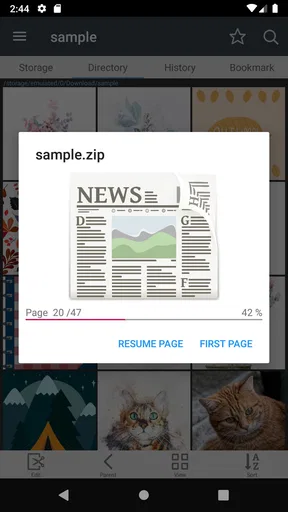
The app is built around managing and showing image-based reading material. The straightforward workflow is to locate the file or collection, open it, then adjust the page presentation to suit the device and the way I read. That is a different kind of convenience from a library that automatically supplies every issue: the reward is control over a personal collection, while the trade-off is taking responsibility for keeping that collection in order.
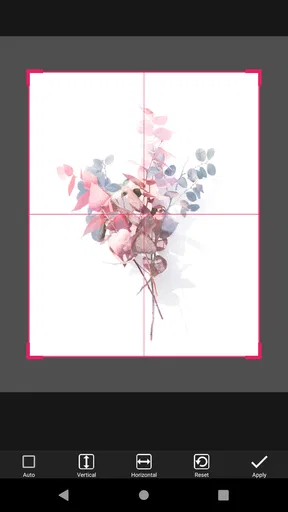
When I prepare a reading session, I find it useful to think about the screen before I start. A full comic page can be comfortable on a larger display, while a phone may call for zooming into panels or changing how the page is presented. If the artwork contains tiny lettering, I would rather pause to inspect a panel than force myself through a whole page at an uncomfortable scale. That is not a flaw unique to this app; it is the natural compromise of reading detailed artwork on a small screen.
A User-Friendly Interface
First things first, let's talk about the interface. The moment I launched ComicScreen, I was greeted by a clean, intuitive layout. No unnecessary clutter, just an easy-to-navigate design that gets you straight to your comics. Whether you're a tech newbie or a seasoned app user, you'll find it a breeze to manage. The app supports a variety of formats, including PDF, CBZ, and CBR, so it’s as versatile as a Swiss Army knife.
Worth Reading Before You Choose

Baby Panda World Brings Quick Play to Modern Phones, but Its Game Library Feels Busy

ESPN’s Live Game View Makes Following Close Games Easier

QuizzLand Review: A Good Fit for Short Trivia Breaks, Not Every Player

Basketball Stars: Multiplayer Is Fast, but Can It Recover When Matches Go Wrong?

WEBTOON Turns Phone Updates Into a Better Reading Routine

Link to Windows Runs on Shared Habits, Not Social Feeds
Reading Experience
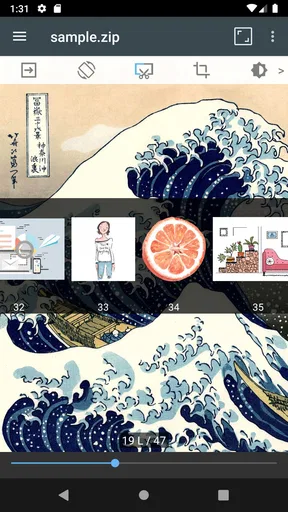
Now, onto the real deal: the reading experience. Have you ever tried reading comics on an app that just didn't get it right? Not here. With ComicScreen, every page turns smoothly, and the image quality is crisp. It supports pinch-to-zoom, which means you can zoom in on those epic fight scenes or intricate artwork without losing any detail. Plus, the app's night mode is a blessing for late-night reading sessions. My eyes thanked me.
My practical tip is to try a few pages in both your usual lighting and a dim room before settling on your defaults. Night mode can make an evening session more comfortable, but it does not replace lowering screen brightness if the display still feels harsh. Zooming is useful for fine lettering or dense panels; for ordinary pages, I prefer to keep the view steady so I do not lose the flow of the layout.
For a story designed around conventional page order, the reading direction setting is worth checking before a long session. Getting it right at the beginning avoids repeatedly correcting the experience later. Auto-scrolling may suit someone reading hands-free or following a familiar page rhythm, but I would not treat it as an ideal setting for every comic: a page with unusually dense artwork often deserves a deliberate pause.
Customization Options
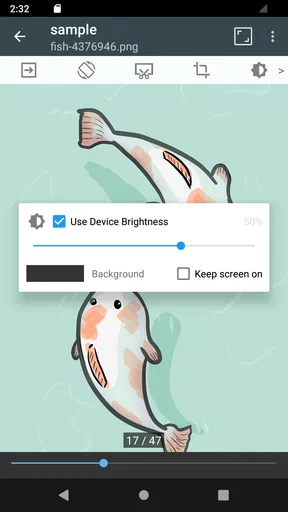
One thing I absolutely love about ComicScreen is the customization options. You can tweak the reading direction, adjust margins, and even set up auto-scrolling. It feels like the app is made just for you. The background color options are a nice touch too, allowing you to personalize your reading space.
These controls are most useful when they solve a specific annoyance. Changing margins can make a page sit more comfortably within the display, while a different background can reduce the contrast between the page and the surrounding screen. I would adjust one setting at a time and read a few pages before changing another. Otherwise, it is easy to forget which adjustment actually helped.
Organizing Your Library
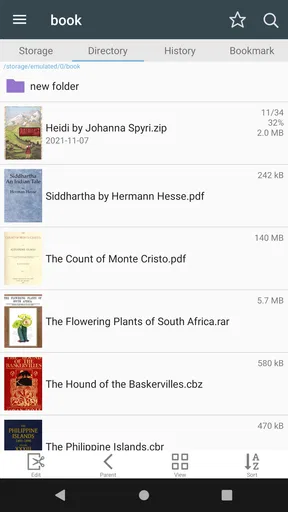
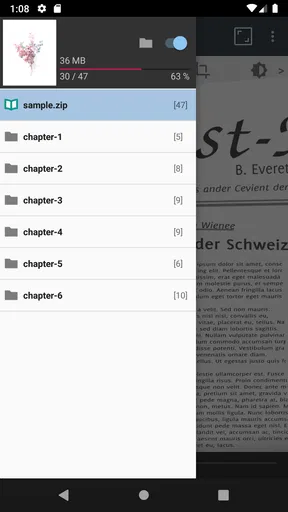
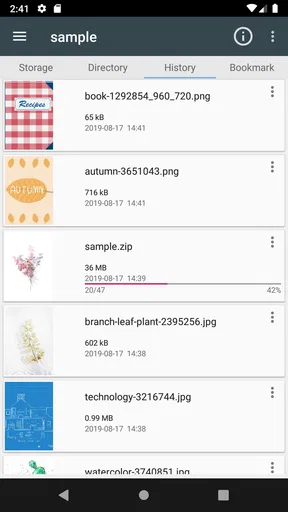
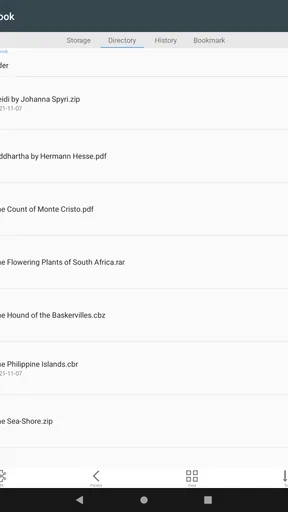
Managing a vast digital library can be daunting, but not with this app. It features excellent library management tools. You can easily organize your comics into folders, sort by title or date, and even search through your collection with ease. I found it super helpful to have my favorite series at my fingertips.
Folder organization becomes especially valuable when a collection mixes complete volumes, one-off PDFs, and image folders. I would use a consistent naming pattern for series and volume order before importing or browsing a large batch. Sorting can help locate a known item, but clear folders are a better safeguard against opening the wrong volume when several files have similar names. This is a small bit of housekeeping that pays off each time I return to the library.
There is also a useful handoff to consider: ComicScreen handles the reading side, while the user remains responsible for where the files come from and how they are stored. If I receive a comic on another device, I first move or save it somewhere accessible on the phone, then open it in the reader. That separation is sensible for a file-based app, but it means readers who expect automatic syncing across devices should compare it with a service built specifically around cloud libraries before committing their whole routine.
"ComicScreen is like having a personal comic book librarian right in your pocket."
Performance and Speed
No one likes an app that lags, especially when you're in the middle of an intense story arc. Thankfully, ComicScreen runs smoothly without any noticeable lag. The pages load quickly, and transitions are seamless. It's optimized to handle large files, which is a huge plus for those hefty graphic novels.
For large collections, I would start with a small, representative batch rather than trying to reorganize everything in one sitting. That gives me a chance to see how the folders and file names behave in practice, and whether my device feels comfortable opening the kinds of books I actually read. A particularly image-heavy file can feel different from a text-heavy PDF, so a quick test is more useful than assuming every item will behave identically.
What Makes It Stand Out
In a sea of comic reader apps, you might wonder what makes ComicScreen stand out. For me, it's the combination of simplicity and functionality. It's not just about reading comics; it's about enhancing the entire experience. The app respects the art and storytelling of comics, making sure you enjoy every panel to the fullest.
The main comparison is with two common alternatives: a general PDF reader and a subscription-based comics catalog. A PDF reader can be perfectly adequate if nearly everything I read is a document, but it may not feel as focused on browsing a mixed collection of comics and images. A catalog app is better when I want discovery and access to titles through its own service. ComicScreen sits between those choices: it is appealing when I already have compatible files and want reading controls and library organization in one place, but it is not a replacement for a source of new books.
That distinction also helps answer who should skip it. If I mainly read web-based comics, expect a curated catalog, or want all my purchases and reading progress managed by a single publisher service, I would look at that service first. If I prefer to keep files under my own control and already have a collection, this app is much closer to the job I need done. Its Everyone age rating makes it broadly accessible, though parents should still choose reading material appropriate for the person using the device.
ComicScreen is free to install, with in-app purchases listed at $1.99 to $2.99 per item. It has a 4.7 average from around 88,000 ratings, and over 1 million installs. Those figures suggest that it has found an audience among readers who want a dedicated file reader, but they do not change the practical test: the app is worth considering if your books are in supported formats and its controls suit your screen. Its minimum OS requirement is 8.0, so I would check device compatibility before making it part of a regular reading setup.
One question I would ask before choosing it is whether it is the right place for every kind of reading material I own. For comics stored as PDF or CBR, and collections that include images, its purpose is clear. For an ordinary document with lots of selectable text, a dedicated document reader may be more comfortable; for an online catalog, a service with a built-in shop or subscription makes more sense. Choosing by file type and source avoids expecting one app to do jobs it was not designed around.
Another practical question is how to make a phone-sized reading session less fiddly. I would sort the collection before a trip, open the first file while I still have time to check it, and decide whether margins, reading direction, or zoom need adjustment. That preparation is more reliable than trying to troubleshoot a confusing folder or an awkward page layout while traveling. For a short break, a single saved comic is easy; for a long series, a tidy folder structure matters more.
And if the first page looks wrong, I would troubleshoot in a simple order: confirm I opened the intended file, check the reading direction, then adjust margins or zoom. That sequence separates a file or ordering issue from a display preference. Changing several settings at once can make the cause harder to spot, while a small adjustment lets me return to a comfortable setup without turning reading into a configuration task.
So, should you give ComicScreen - PDF, ComicReader a try? Absolutely. Whether you're a casual reader or a die-hard fan, this app brings your comics to life in the best way possible. It’s available for both Android and iOS, so you can easily download it and start enjoying your collection today. Happy reading!
Pros
- User-friendly interface for seamless browsing.
- Supports multiple file formats
- enhancing versatility.
- Fast loading times for large comic files.
- Customizable viewing options for personalized experience.
- Offline reading mode for on-the-go access.
Cons
- Limited cloud storage integration options.
- Ads in the free version can be distracting.
- No in-app purchase for ad removal.
- Occasional bugs with specific file types.
- Lacks advanced annotation tools.
FAQs for ComicScreen - PDF, ComicReader
What file formats does ComicScreen support?
ComicScreen is versatile in handling various file formats, making it a popular choice for comic enthusiasts. It supports common formats such as PDF, CBZ, CBR, JPG, and PNG. This flexibility allows users to enjoy a wide range of comics and graphic novels without worrying about compatibility issues.
Can I customize the reading experience in ComicScreen?
Yes, ComicScreen offers several customization options to enhance your reading experience. Users can adjust the brightness, zoom into specific panels, or switch between single and double-page views. These features allow you to tailor the reading interface to your personal preferences, ensuring a comfortable and enjoyable session.
Is ComicScreen free to use, or does it have in-app purchases?
ComicScreen is available as a free app, providing essential features at no cost. However, it may offer in-app purchases for advanced features or to remove ads. These optional purchases can enhance the user experience, but the app remains functional and useful without spending money.
How does ComicScreen handle large comic collections?
ComicScreen efficiently manages large comic collections through its user-friendly library organization. Users can sort comics by title, author, or date, and create custom collections for easy access. This feature ensures that even extensive libraries remain organized and accessible, making it simple to find and read your favorite comics.
Does ComicScreen work offline?
Yes, ComicScreen supports offline reading, allowing users to enjoy their comics without an internet connection. Once you've downloaded your comics to your device, you can access and read them anywhere, making it convenient for travel or areas with limited connectivity.


